- Everything Looked Fine
- Internal Services Were Never Meant to Be Public
- “But I Already Blocked the Port With UFW”
- The Internet Is Never Quiet
- The Dangerous Part Isn’t Just That the Service Is Public
- “Configuration Looks Safe” Doesn’t Mean “Actually Safe”
- What I Started Doing Differently
- The Biggest Lesson
- Conclusion
I Thought UFW Was Protecting My Server. I Was Wrong

Duy DangBackend Developer
A journey into how one small assumption in networking and firewall configuration can unintentionally expose internal services to the Internet — and the real-world lessons I learned about Docker, UFW, and* *false sense of security* *in production systems.
Everything Looked Fine
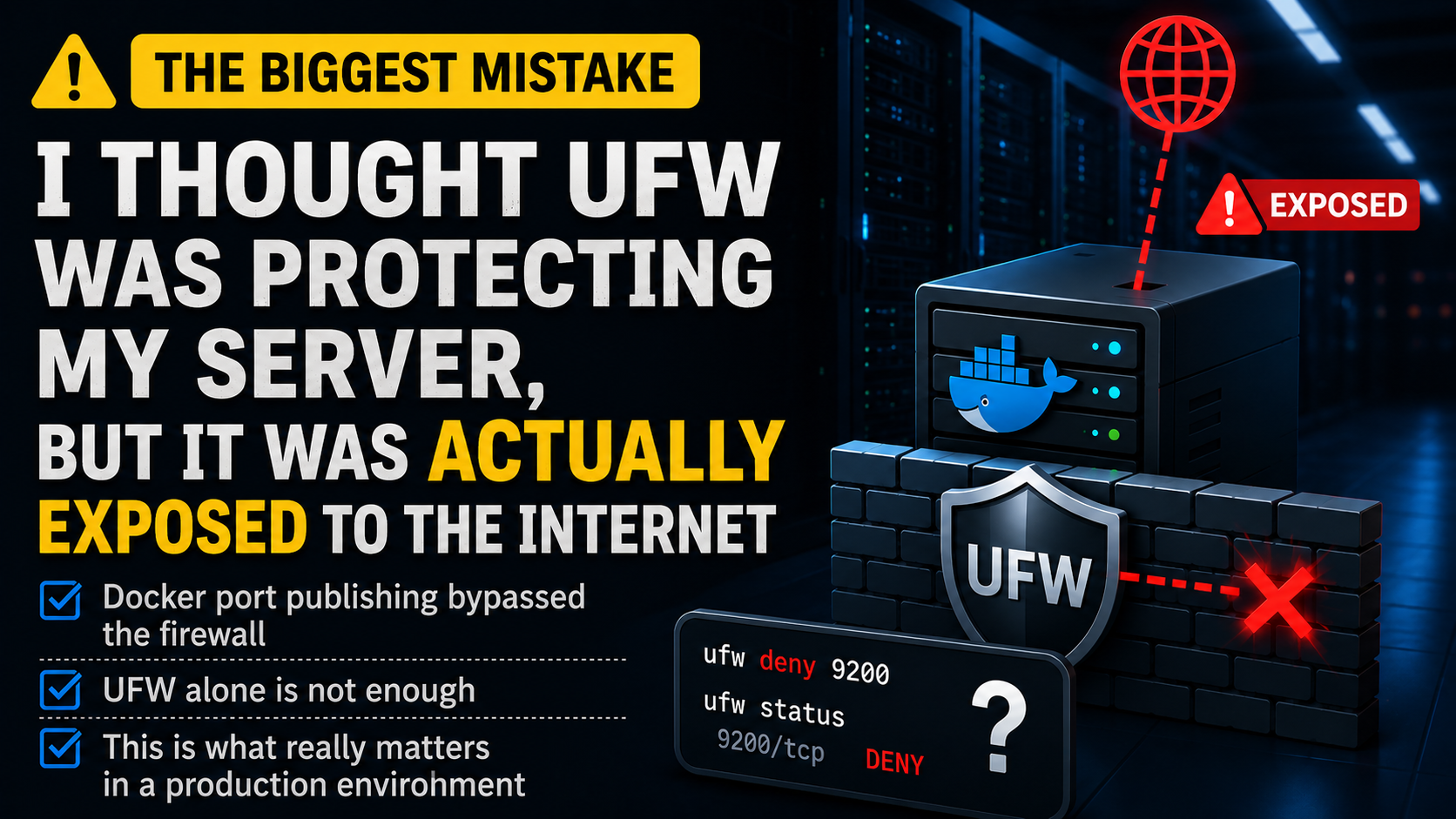
I had already enabled UFW.
ufw status showed that the port was denied.
There were no unusual warnings in the logs.
Deployments were running normally.
Monitoring dashboards were all green.
Everything looked safe.
Until one day, I tested the service from an external network… and discovered that an internal service running in production was still publicly accessible from the Internet.
The scariest part was:
- There were no obvious signs that this was happening.
- No alerts.
- No errors.
- No failed deployments.
It was simply:
- I believed the system was protected
- while in reality, it wasn’t
That moment made me realize something important:
In infrastructure engineering, the most dangerous thing is not always a bug.
Sometimes, it’s a false sense of security.
Internal Services Were Never Meant to Be Public
Modern systems often rely on many internal services such as:
- PostgreSQL
- Redis
- Elasticsearch
- Kafka
- RabbitMQ
- Internal Admin APIs
- Monitoring services
These services are usually intended only for:
- backend applications
- batch jobs
- internal networks
- or developers connecting through VPNs or SSH tunnels
They were never designed to be publicly accessible from the Internet.
But many production systems accidentally expose them without realizing it.
For example:
ports:
  - "9200:9200"
At first glance, this configuration looks harmless.
But in many cases, it effectively means the service is listening on:
0.0.0.0
Which means:
- all network interfaces
- including the server’s public interface
If the machine has a public IP, there’s a good chance the service is reachable from the Internet.
And the most dangerous part is:
Many developers don’t realize this at all.
“But I Already Blocked the Port With UFW”
That was exactly what I thought too.
I believed that simply running:
ufw deny 9200
was enough to protect Elasticsearch.
Everything looked correct:
- UFW was enabled
- the rule existed
ufw statusshowed DENY
But when I tested the service from an external network:
curl http://public-ip:9200
the service still responded normally.
That was when I learned something important:
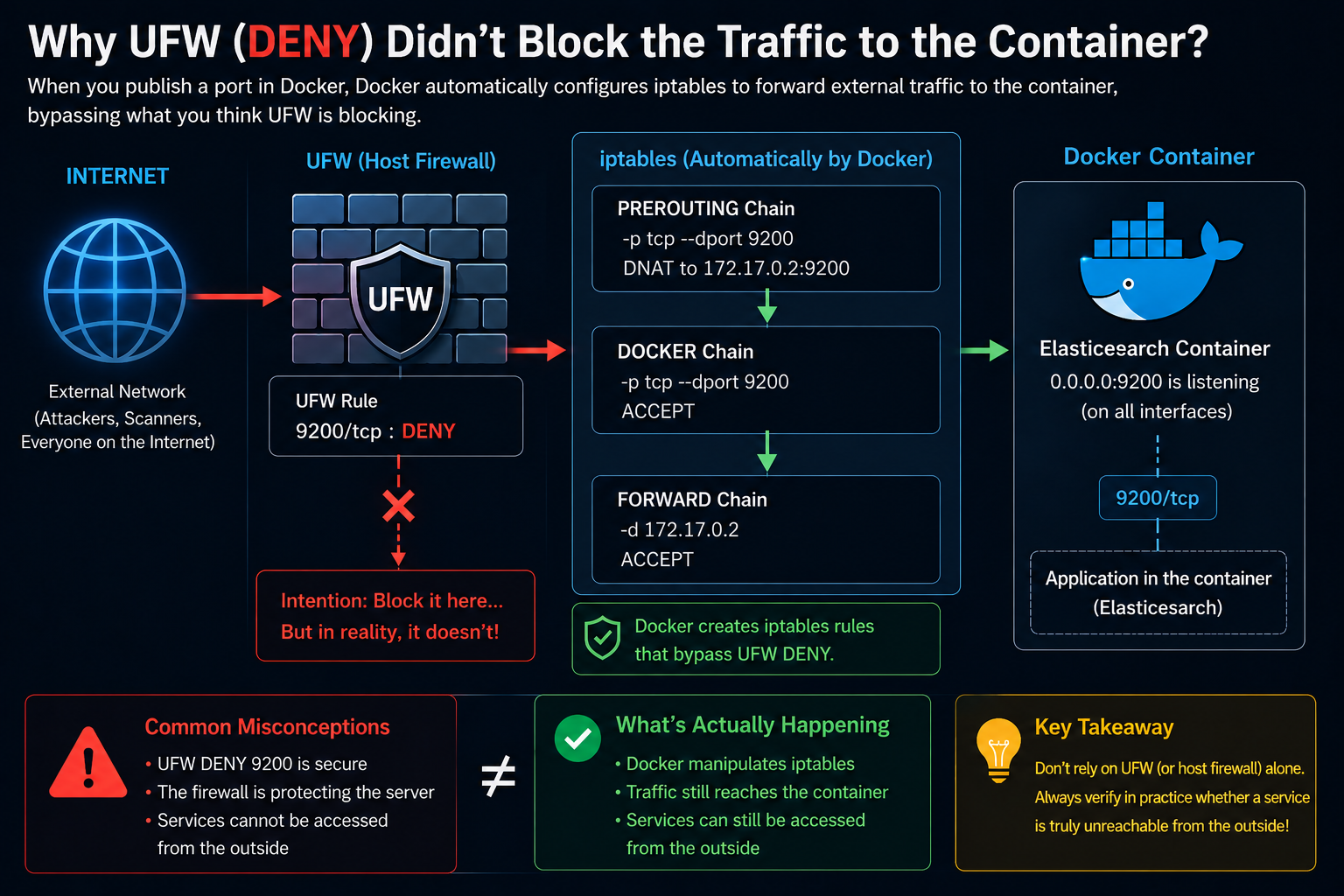
Docker doesn’t just “open a port.”
When publishing container ports, Docker also manipulates iptables rules to route traffic to containers.
As a result, Docker-published ports can sometimes bypass the behavior developers expect from UFW.
And that led me to one of the biggest lessons from this experience:
Firewall rules are not proof of security.
The only thing that truly matters is:
Whether external traffic can actually reach the service or not.
The Internet Is Never Quiet
One thing many developers underestimate is this:
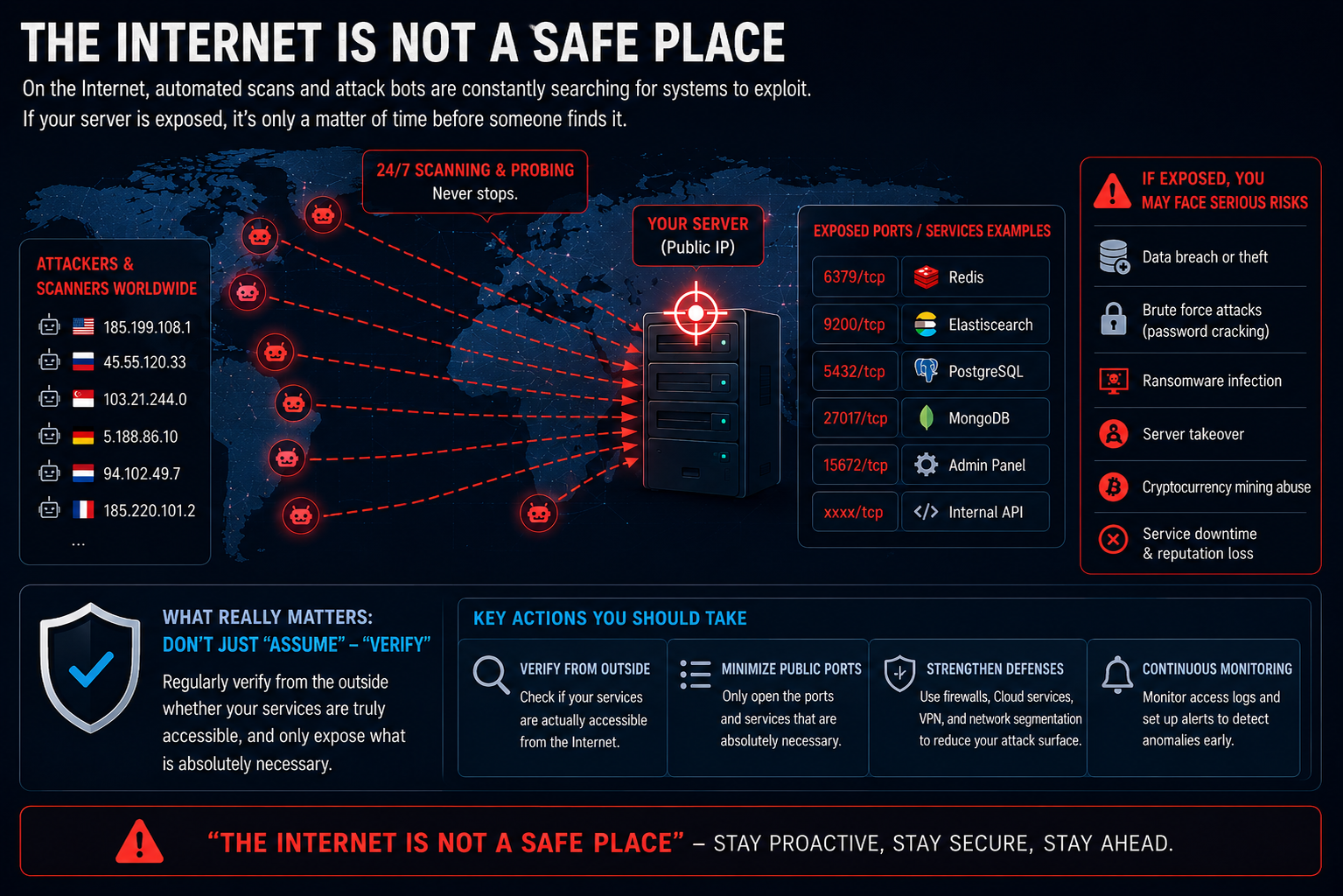
The Internet is constantly scanning your infrastructure.
Not because you are famous.
Not because someone is specifically targeting you.
But because Internet-wide scanning has become almost completely automated.
There are countless:
- scanners
- crawlers
- opportunistic bots
- mass-scanning tools
constantly probing:
- Redis
- Elasticsearch
- PostgreSQL
- MongoDB
- admin panels
- internal APIs
If a service is publicly exposed without proper protection, being discovered is usually just a matter of time.
The Dangerous Part Isn’t Just That the Service Is Public
The scariest part is often not the exposure itself.
It’s the fact that:
- nobody realizes the service is public
- because everyone assumes the firewall is protecting it
That’s why many incidents are only discovered after:
- data disappears
- servers get abused
- or infrastructure costs suddenly spike
There have already been countless real-world incidents where:
- Elasticsearch indices were wiped
- Redis databases were flushed
- databases received ransom notes
- internal services were abused for crypto mining
And most of these incidents didn’t start with:
- sophisticated malware
- zero-day exploits
- advanced attackers
They started with:
- default configurations
- convenience during development
- incorrect assumptions
- lack of real-world verification
“Configuration Looks Safe” Doesn’t Mean “Actually Safe”
This became the biggest lesson I learned from the experience.
In production engineering:
“Configuration looks safe”
does not mean:
“The system is actually safe”
You can have:
- firewalls
- deny rules
- monitoring
- green dashboards
- beautiful infrastructure diagrams
But if external traffic can still reach the service, then all of those assumptions become meaningless.
Security should never be verified through:
- dashboards
- configuration files
- assumptions
It should be verified through:
- external testing
- real network validation
- defense in depth
What I Started Doing Differently
After this experience, I changed the way I approach infrastructure setup.
1. Bind Internal Services to 127.0.0.1
Instead of:
ports:
  - "9200:9200"
I started using:
ports:
  - "127.0.0.1:9200:9200"
This ensures the service is only accessible locally.
2. Avoid Publishing Internal Ports Unless Absolutely Necessary
Many internal services simply do not need public Internet access.
If only containers need to communicate internally, then:
- Docker internal networks
- private subnets
- service discovery
are usually more than enough.
3. Don’t Rely on Host Firewalls Alone
UFW is useful.
But it should never be the only layer of protection.
I started relying more on:
- cloud security groups
- private networking
- VPNs
- zero-trust access
- network segmentation
Defense in depth is always stronger than single-layer protection.
4. Always Verify From an External Network
This became the most important habit.
Not:
curl localhost:9200
But testing from:
- mobile networks
- external VPS instances
- real external Internet connections
If external traffic cannot reach the service, only then is it truly trustworthy.
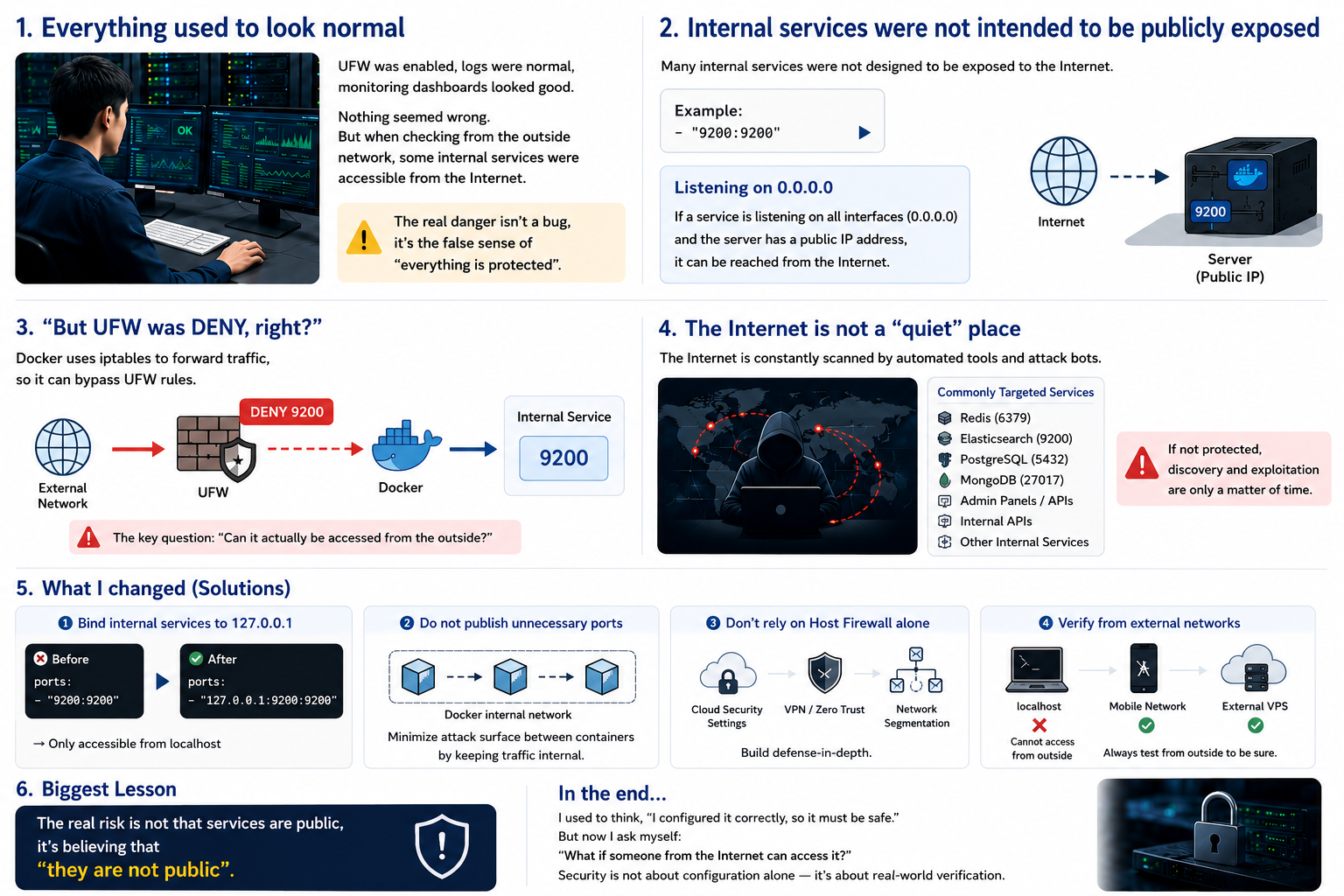
The Biggest Lesson
The biggest lesson I learned was not:
“Docker networking is complicated.”
It was:
Infrastructure assumptions are dangerous.
Many production incidents do not start with catastrophic mistakes.
They start with small assumptions that nobody bothered to verify.
And sometimes, the most dangerous thing is not that:
- the service is public
But that:
- you believe it isn’t.
Conclusion
After this experience, I started looking at infrastructure differently.
No longer asking:
“Did I configure this correctly?”
But instead asking:
“What happens if the Internet actually tries to reach this system?”
That is the difference between:
- configuration
- and actual security
And sometimes, a tiny assumption like:
ports:
  - "9200:9200"
is enough to accidentally turn an internal service into a public one without anyone realizing it.