How AI Optimizes the Entire Software Delivery Lifecycle

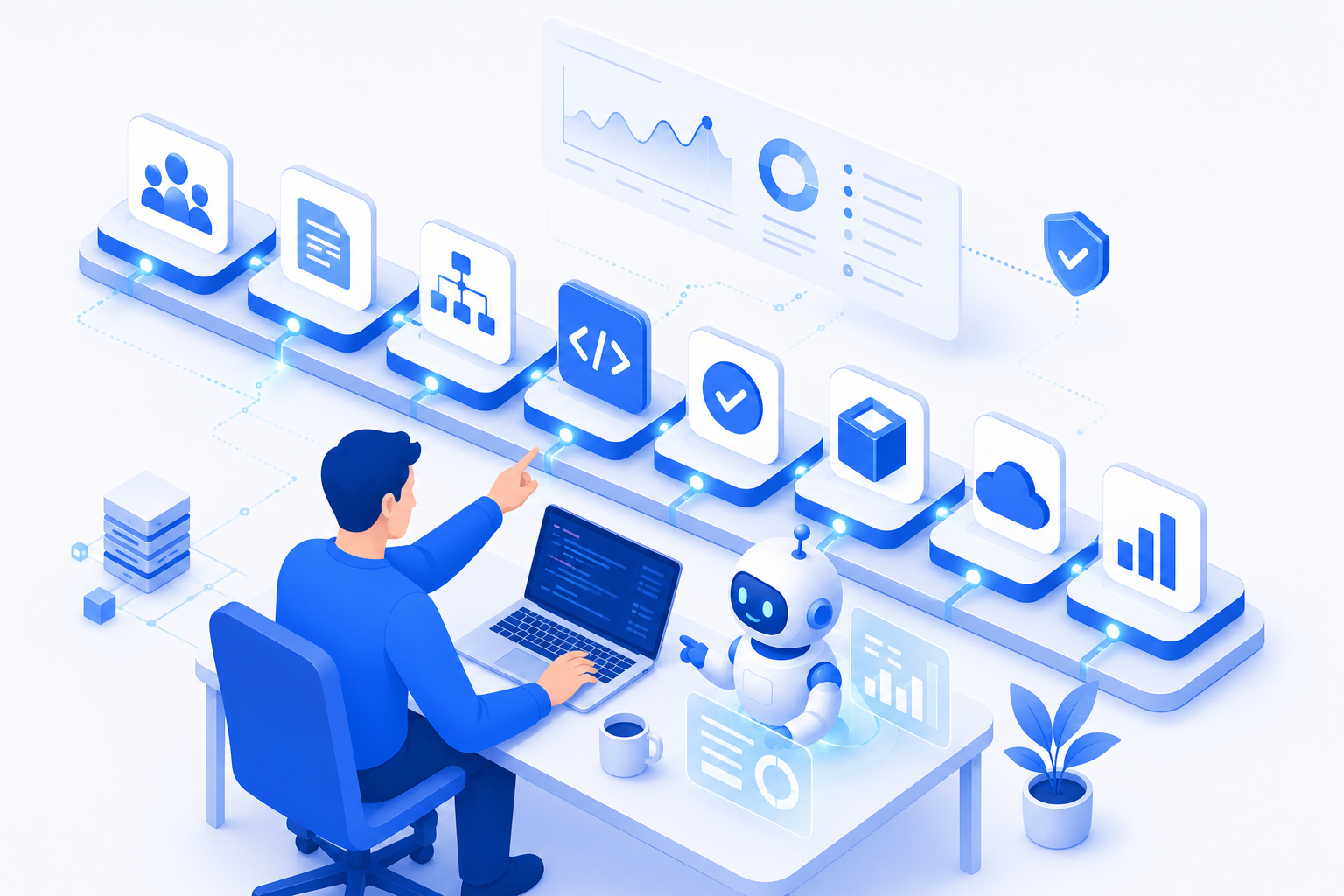
AI is no longer just a coding assistant. It is becoming an integral part of every stage of software development, from requirement analysis to deployment and post-release monitoring.
1. Introduction
For the last two years, most conversations about AI in software have centered on a single question: can it write code? The answer is clearly yes—and for many teams, code generation has already become a daily habit. But focusing only on AI-generated code is like judging a car by its cup holders. It misses the larger picture.
Software delivery is not a coding problem. It is a coordination problem. The majority of time, cost, and risk in a typical outsourcing project is spent around coding: clarifying what the client actually wants, writing it down, breaking it into tasks, reviewing work, testing it, shipping it, and keeping it healthy in production. These activities are where projects slow down, where misunderstandings accumulate, and where quality quietly erodes.
This is exactly where AI is becoming most valuable. Used well, AI is not a replacement for engineers—it is a productivity multiplier that compresses the slow, repetitive parts of delivery so that skilled people can spend more time on the decisions that matter: architecture, business trade-offs, and quality.
This article walks through the entire AI-assisted Software Delivery Lifecycle (SDLC). We will compare the traditional outsourcing workflow with an AI-enhanced one, examine how AI helps at each stage, work through a realistic example, and finish with practical guidance on what to delegate to AI and what humans must always own.
2. The Traditional Workflow
A typical software outsourcing engagement follows a familiar path. A customer brings a request, the team analyzes it, designs a system, builds it, reviews it, tests it, ships it, and then monitors it in production.
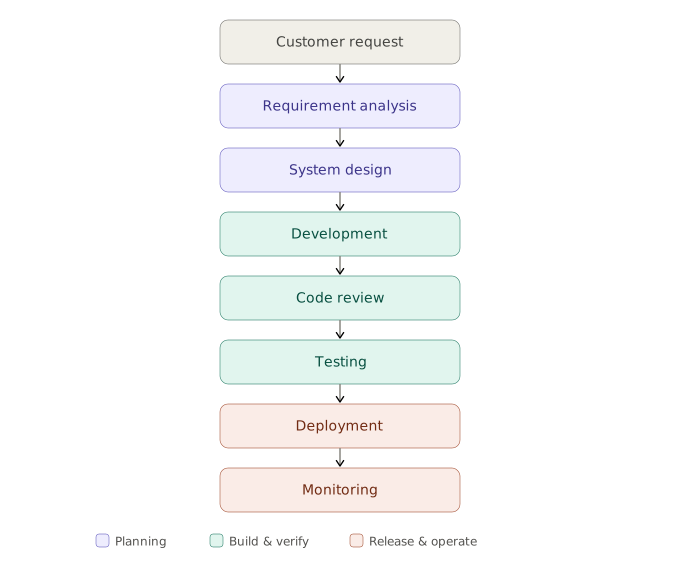
On paper this looks clean. In practice, each handoff between stages introduces friction, and a few recurring bottlenecks tend to dominate the schedule.
| Bottleneck | What it looks like in practice |
|---|---|
| Requirement misunderstanding | The client says "simple dashboard"; the team builds something different from what was imagined. The gap surfaces only at demo time. |
| Documentation overhead | Engineers postpone writing specs, user stories, and READMEs because they are tedious—so the documentation is thin, outdated, or missing. |
| Repetitive coding | A large share of development is boilerplate: CRUD endpoints, DTOs, form validation, config files. Skilled engineers spend hours on low-value typing. |
| Manual testing | Test coverage is uneven because writing tests is slow. Edge cases get skipped under deadline pressure. |
| Long review cycles | Pull requests sit in a queue. Reviewers are busy, context-switching is expensive, and feedback arrives in batches days later. |
| Knowledge silos | One engineer understands the payment module. When they are on leave, the team is blocked, and onboarding a new member takes weeks. |
None of these problems are caused by a lack of skill. They are caused by a lack of time and consistency. That is the opening AI is built to fill.
💡 Key insight: The bottlenecks in outsourcing are rarely about writing code faster. They are about reducing friction between stages and keeping quality consistent under pressure.
3. The AI-Enhanced Workflow
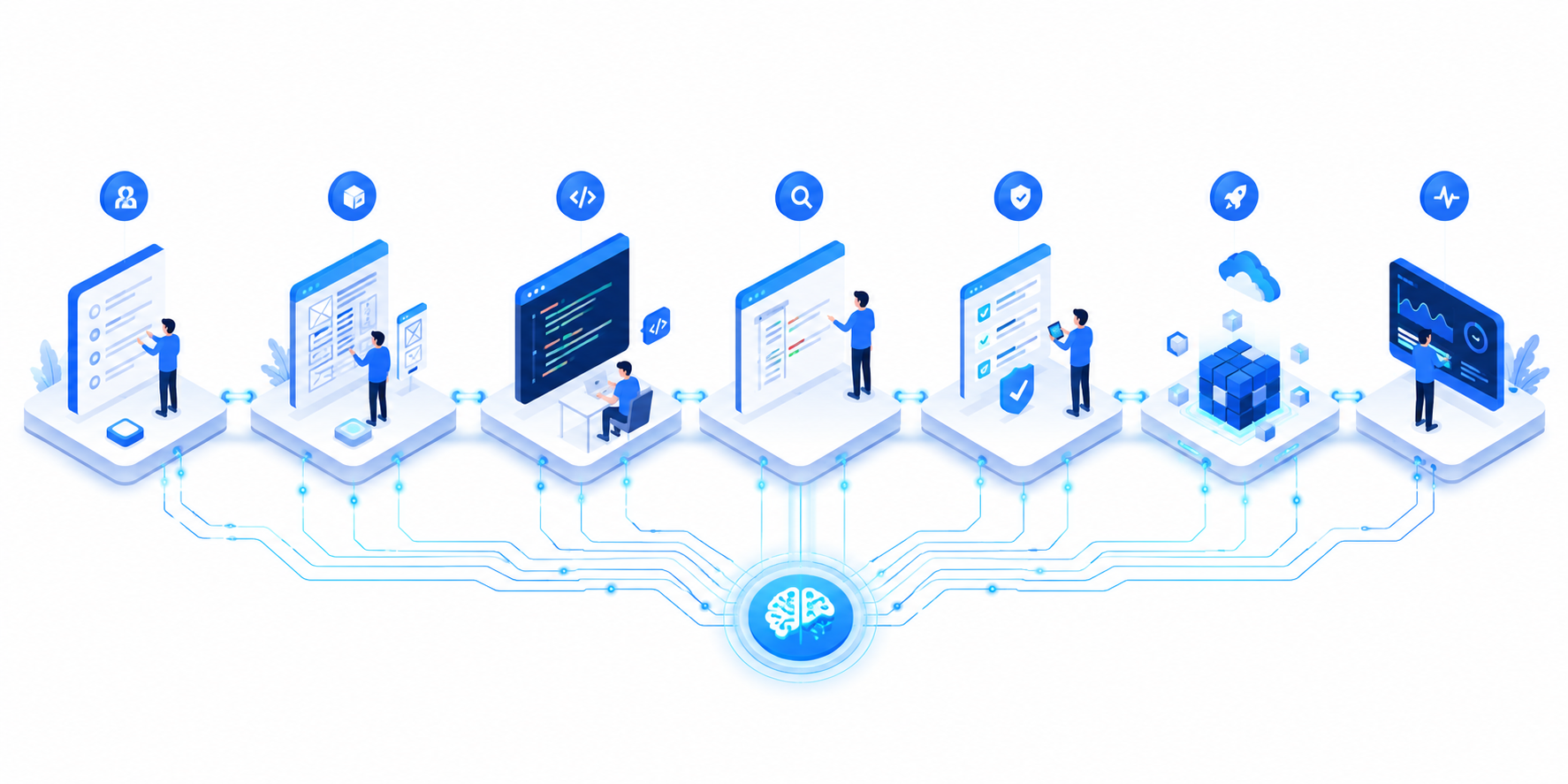
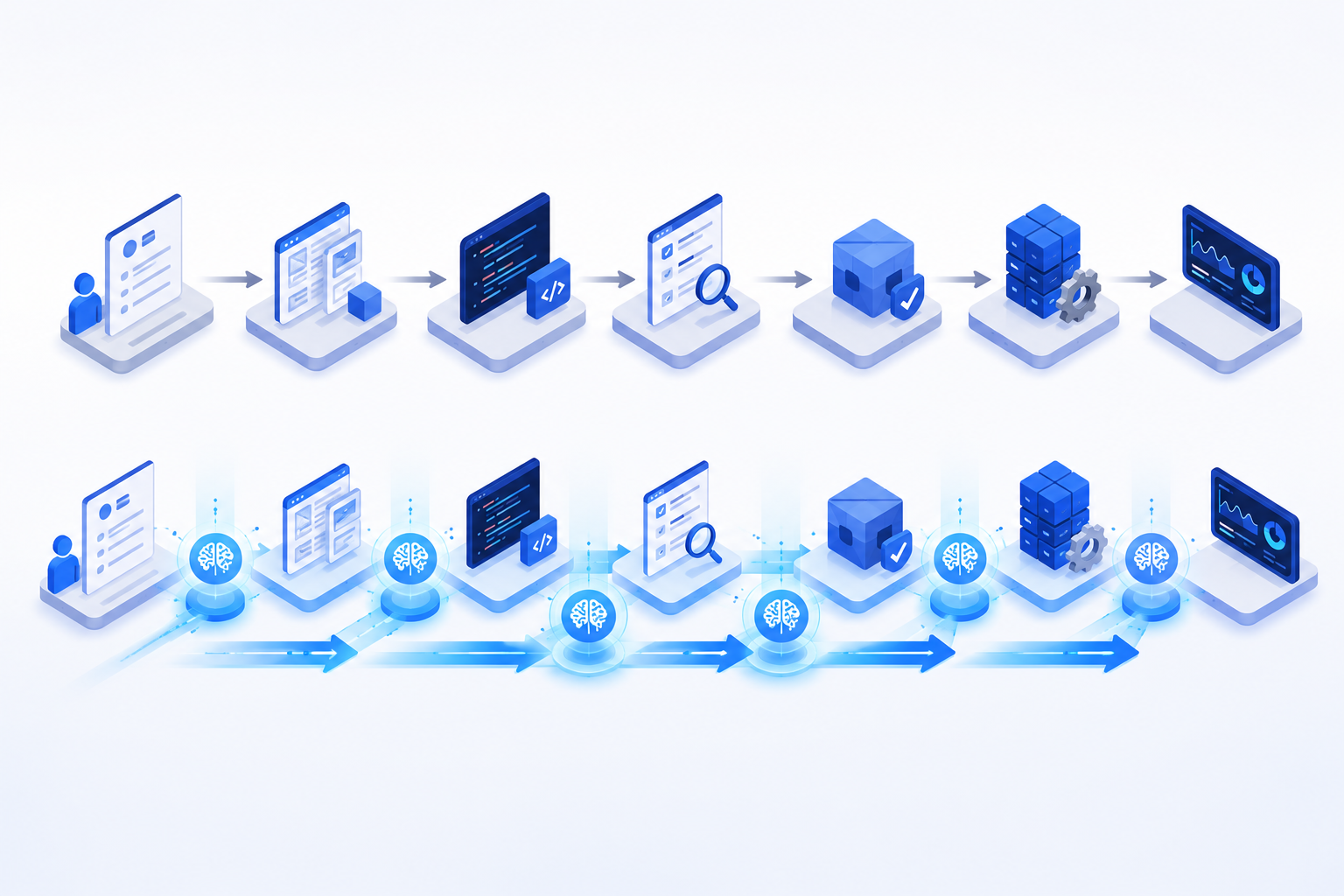
The AI-enhanced workflow keeps the same backbone but inserts AI assistance at the points where friction is highest. It also adds new, lightweight stages—like turning a meeting recording directly into a structured requirement set—that were previously too costly to do well.
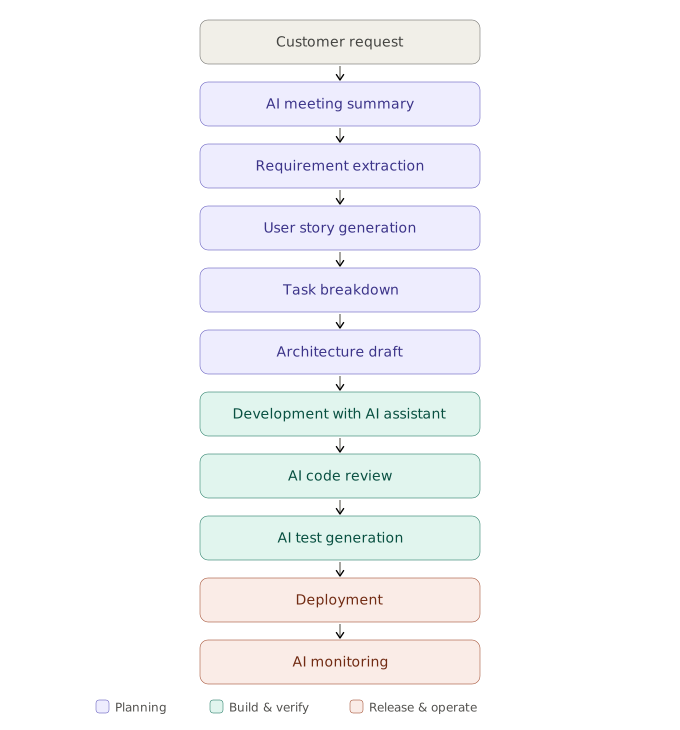
The important shift is not that AI replaces any stage. It is that AI produces a first draft at each stage—a transcript becomes a summary, a summary becomes user stories, user stories become tasks—so the human's job changes from creating from scratch to reviewing and refining. Reviewing a good draft is far faster than producing one, and it keeps engineers in the role they are best at: judgment.
4. How AI Helps at Every Stage
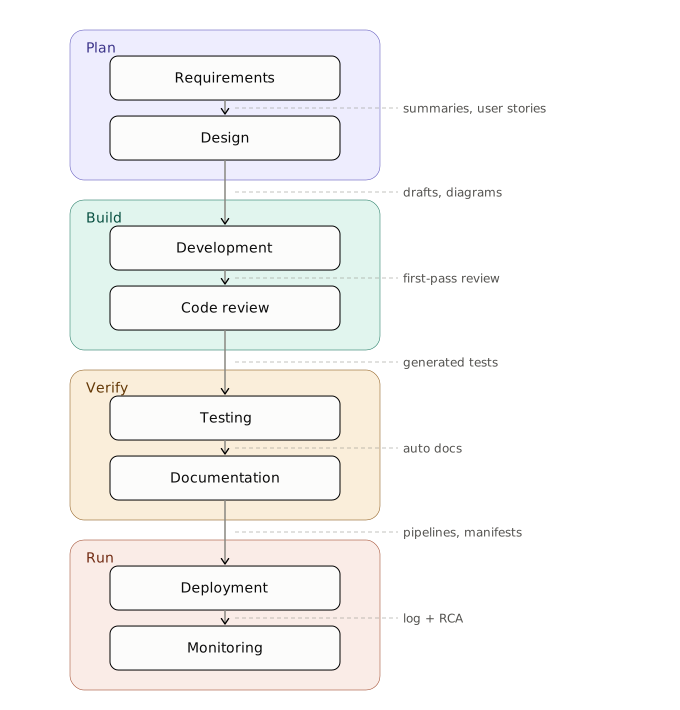
Let's go stage by stage. For each phase, AI takes on the repetitive groundwork while the engineer keeps control of decisions.
Requirement Analysis
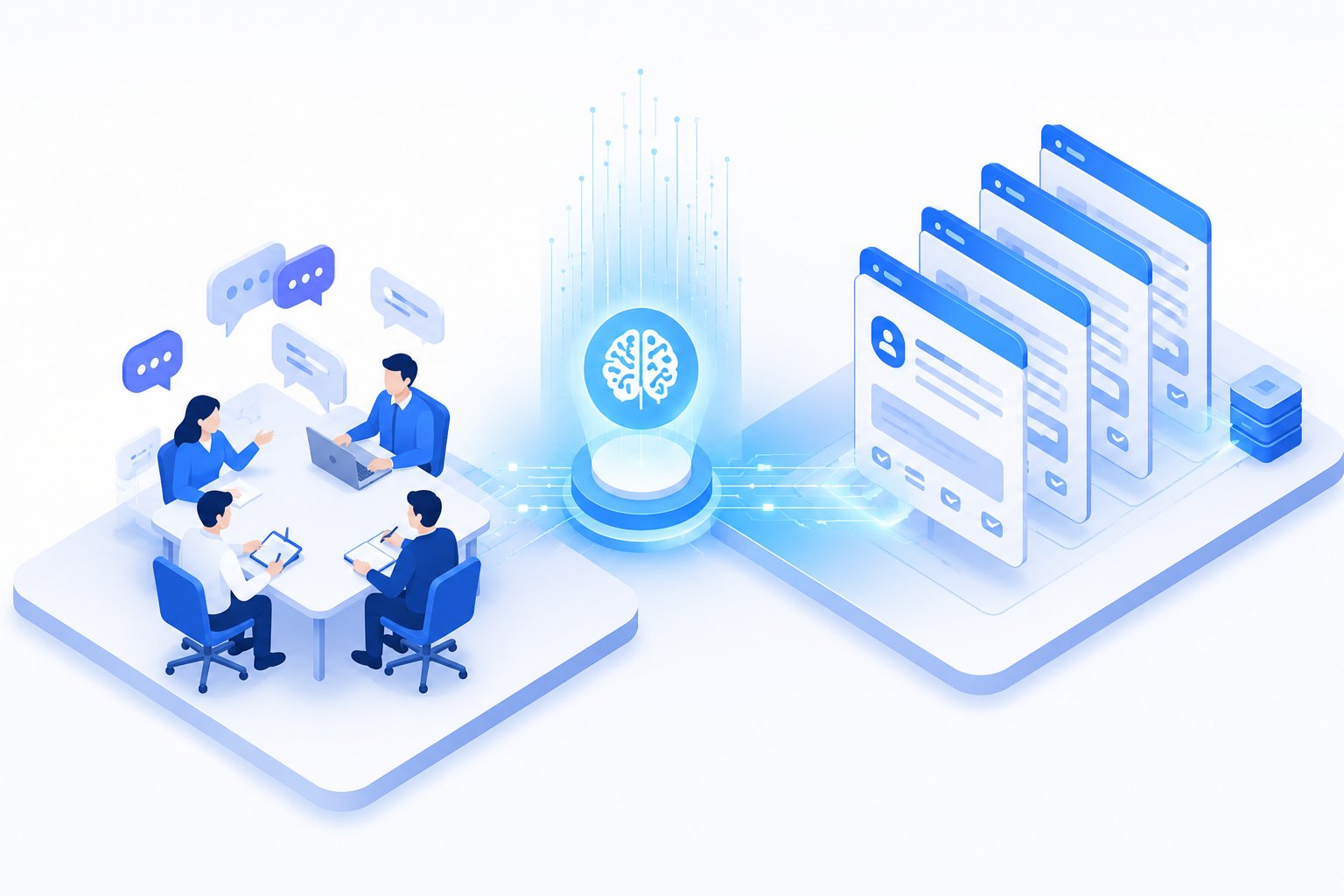
Requirements are where most projects succeed or fail, and they are also where AI delivers some of its highest return because the raw input—conversations, emails, scattered notes—is unstructured language.
- Meeting transcription: A recorded kickoff call becomes an accurate transcript automatically.
- Requirement summarization: The transcript is condensed into a structured list of features, constraints, and open questions.
- User story generation: The summary is converted into properly formatted user stories ("As a customer, I want to redeem reward points so that…").
- Acceptance criteria generation: Each story gets a draft set of Given/When/Then criteria for the team to confirm.
- Missing requirement detection: AI flags gaps—"No mention of what happens when a reward expires"—that are easy to overlook in a live meeting.
The engineer still validates every item with the client. But instead of starting with a blank page, they start with a structured draft and spend their energy on the questions that matter.
System Design
AI accelerates the exploration phase of design, where speed of iteration matters more than polish.
- Architecture draft: Propose a candidate architecture (services, data flow, integration points) for the team to critique.
- Sequence diagrams: Generate diagrams from a plain-language description of a flow.
- API design: Draft REST or GraphQL contracts with consistent naming and error conventions.
- Database schema suggestions: Propose tables, relationships, and indexes based on the domain.
- Trade-off analysis: Compare options—"SQL vs. NoSQL for this access pattern"—with pros and cons laid out side by side.
The architect remains the decision-maker. AI is a fast, tireless source of options and a sounding board, not the authority on what to build.
Development
This is the most familiar use, but it goes well beyond autocomplete.
- Boilerplate generation: CRUD endpoints, DTOs, mappers, and config files in seconds.
- Refactoring: Restructure a tangled function while preserving behavior.
- Legacy code explanation: Summarize what an undocumented 800-line file actually does—invaluable on inherited projects.
- SQL generation: Turn a question into a query, then explain the query plan.
- API implementation: Scaffold an endpoint from its contract.
- Infrastructure as Code: Draft Terraform or Pulumi definitions from a described environment.
Code Review
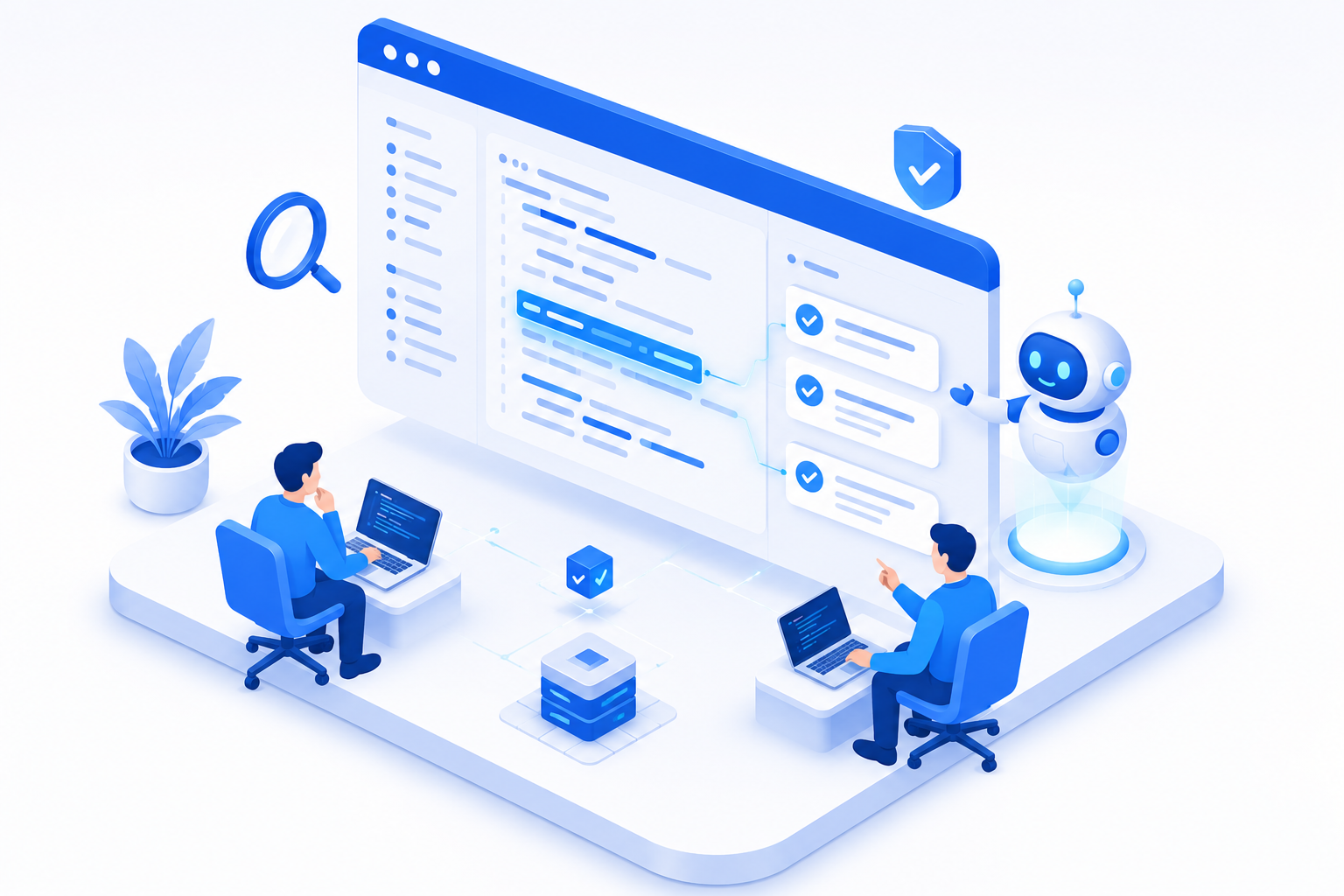
AI review does not replace human reviewers; it handles the first pass so humans can focus on design and intent.
- Detect code smells: Long methods, duplication, deep nesting.
- Security issues: Injection risks, hardcoded secrets, unsafe deserialization.
- Performance improvements: N+1 queries, unnecessary allocations, missing indexes.
- Naming improvements: Suggest clearer, more consistent names.
- Explain review comments: Turn a terse "fix this" into a teaching note, which is especially helpful for junior engineers.
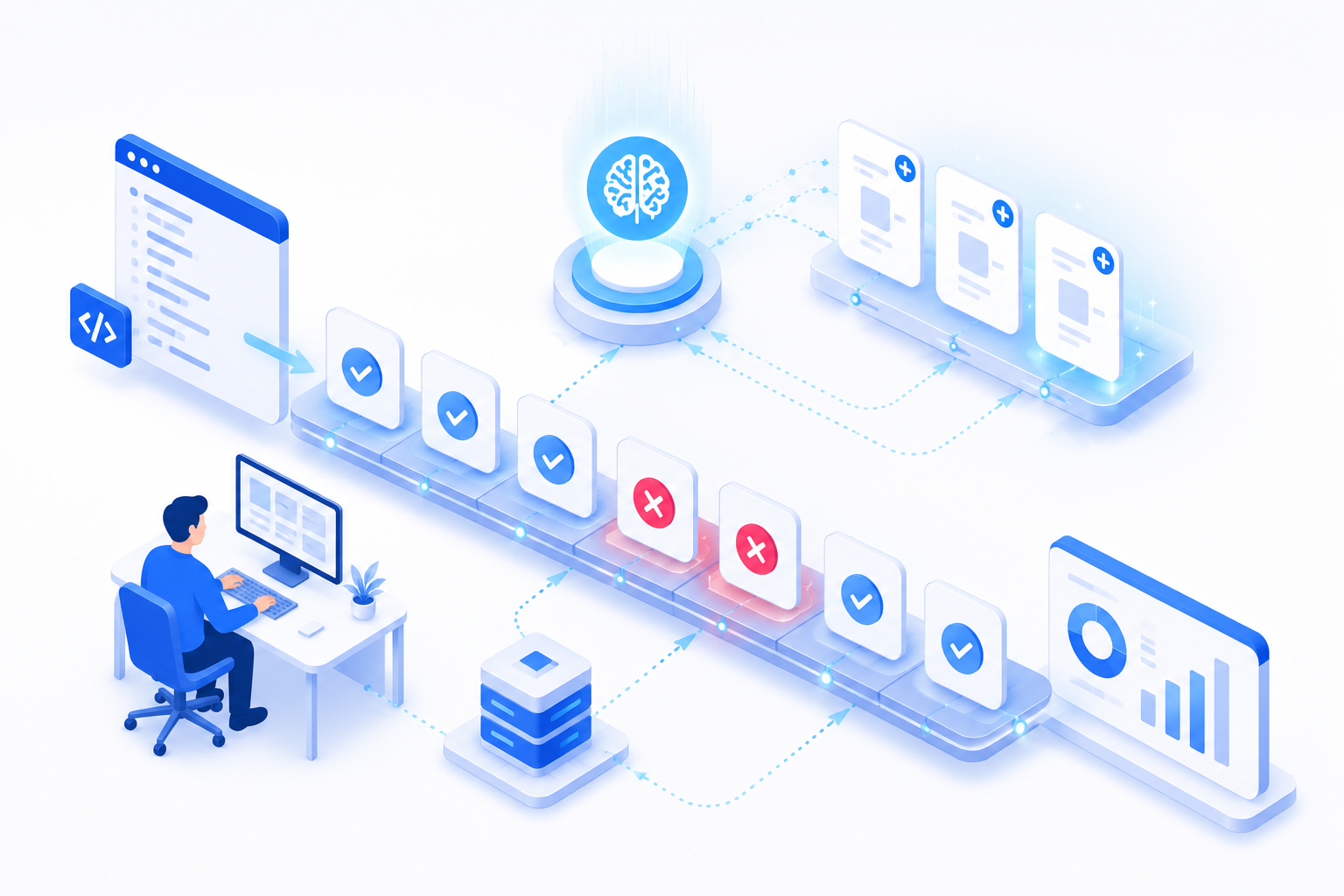
Testing
Testing is one of the clearest wins because the work is structured and repetitive, yet genuinely valuable.
- Unit test generation: Draft tests for a function, including the obvious paths.
- Integration tests: Scaffold tests across modules and external dependencies.
- Edge cases: Surface scenarios humans skip—empty inputs, boundary values, concurrency.
- Test data generation: Produce realistic, varied fixtures.
- Regression testing support: Suggest which tests to run based on what changed.
Documentation
Documentation is the task engineers most love to skip, which makes it a perfect fit for AI assistance.
- API documentation: Generate reference docs from code and contracts.
- Technical documentation: Draft module overviews and design notes.
- Release notes: Summarize a set of merged changes into a readable changelog.
- README generation: Produce setup, usage, and contribution sections.
- ADR generation: Draft Architecture Decision Records capturing why a choice was made.
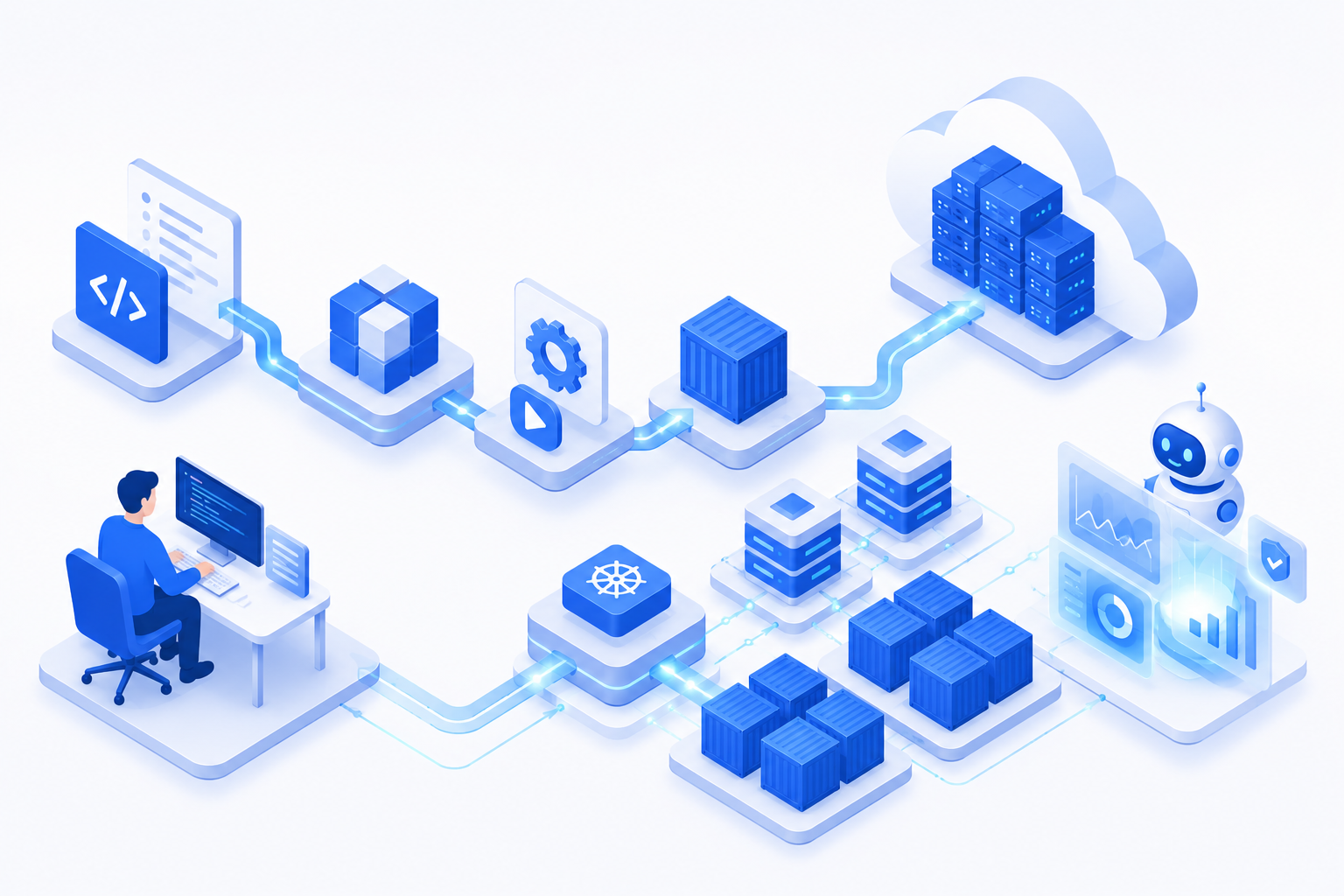
Deployment & Operations
AI extends into operations, where fast interpretation of noisy data is exactly its strength.
- Dockerfile generation: Produce a sensible, multi-stage Dockerfile for a stack.
- CI/CD pipeline suggestions: Draft pipeline configs for build, test, and deploy.
- Kubernetes manifests: Generate deployment, service, and ingress definitions.
- Log analysis: Sift large volumes of logs to surface anomalies.
- Root cause analysis: Correlate an error spike with a recent deploy or config change.
- Incident summarization: Turn a messy incident channel into a clear timeline for the postmortem.
Here is the same coverage as a single view across the lifecycle:
5. A Realistic Outsourcing Example
To keep this concrete, let's follow a single, ordinary feature through the AI-enhanced workflow. The client is a mid-sized e-commerce company, and the request is:
"Build a Wallet & Reward Management feature. Customers should earn points on purchases, store them in a wallet, and redeem them at checkout."
Nothing exotic—exactly the kind of feature an outsourcing team builds regularly.
Requirement analysis. The kickoff call is recorded. AI produces a transcript and a structured summary: earn points on completed orders, view balance and history, redeem at checkout, handle expiry. It also flags two gaps the client had not considered: What happens to points on a refunded order? and Do points expire, and if so, on what schedule? The product owner takes both questions back to the client and resolves them before any code is written. This single step prevents a costly rework later.
Design. From the confirmed requirements, AI drafts a schema (wallet, wallet_transaction, reward_rule) and a sequence diagram for the redeem-at-checkout flow. The architect reviews it, rejects the initial idea of storing a running balance as a column, and instead chooses to derive the balance from the transaction ledger for auditability—a judgment call AI surfaced options for but did not make.
Development. Engineers use the AI assistant to scaffold the CRUD endpoints, the DTOs, and the validation logic. They write the core earning-and-redemption rules themselves, because that is the business-critical logic. The boilerplate that would have taken a day is done in an hour.
Code review. The AI reviewer catches a concurrency issue—two simultaneous redemptions could double-spend the same points—and flags a missing index on wallet_transaction.wallet_id. A senior engineer confirms the concurrency fix (a row-level lock) and approves it.
Testing. AI generates unit tests for the rule engine and proposes edge cases the team had not listed: redeeming exactly the full balance, redeeming on a partially refunded order, and concurrent redemptions. Two of these reveal real bugs.
Deployment & monitoring. AI drafts the CI/CD pipeline and a Dockerfile. After release, when point-redemption latency spikes, AI correlates it with a slow query and points to the same table the reviewer had flagged earlier—confirming the fix and closing the loop.
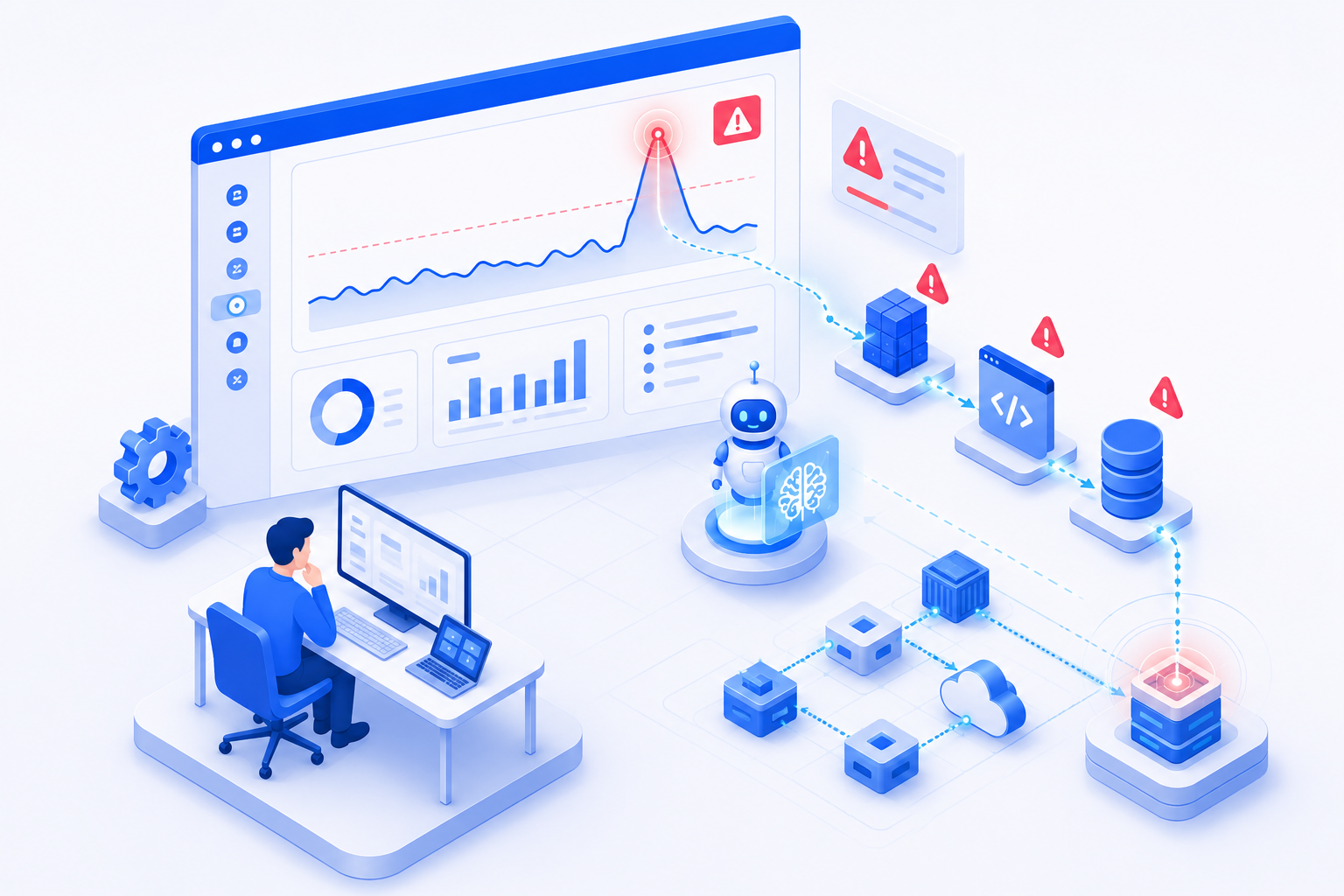
The result is not magic. It is an ordinary feature delivered with fewer surprises, better tests, and clearer documentation—because the repetitive work was handled by AI and the engineers spent their time on the decisions that actually carried risk.
6. Benefits and Limitations
When applied across the lifecycle rather than to coding alone, the gains compound.
| Benefit | Why it happens |
|---|---|
| Faster delivery | Drafts at every stage shorten the slow "create from scratch" steps. |
| Better consistency | AI applies the same conventions to naming, structure, and docs across the whole codebase. |
| Improved documentation | Docs get written because the marginal cost drops to near zero. |
| Reduced repetitive work | Boilerplate, test fixtures, and config stop consuming senior engineers' hours. |
| Better onboarding | New members ask AI to explain unfamiliar modules instead of waiting for a teammate. |
| Higher developer productivity | Engineers spend more of their day on design and problem-solving. |
| Better client communication | Clear summaries, user stories, and release notes keep clients aligned. |
Putting numbers on it
These gains only matter if you can see them, so the first move is to measure a baseline before introducing AI and then track the same metrics afterward. A handful of indicators capture most of the value:
| Metric | What it tells you | Typical direction with AI |
|---|---|---|
| Cycle time (task start → merged) | How fast work moves through the pipeline | Down |
| PR review turnaround | How long code waits for feedback | Down, as AI handles the first pass |
| Test coverage | How much of the code is exercised by tests | Up, as test drafting gets cheaper |
| Escaped defects (bugs found in production) | How much quality leaks past review | Down, if review discipline holds |
| Documentation coverage | Share of modules/APIs with current docs | Up sharply, since the cost of docs drops |
| Onboarding time | Days until a new member is productive | Down, with AI explaining the codebase |
A realistic before/after picture for a single feature might look like the table below. These figures are illustrative, not a guarantee—real results depend on the team, the domain, and how disciplined the review process is:
| Stage | Without AI | With AI (reviewed) |
|---|---|---|
| Requirements write-up | ~1 day | ~2–3 hours |
| Boilerplate + scaffolding | ~1 day | ~1 hour |
| Unit test drafting | partial coverage | broad first draft, then refined |
| README + API docs | often skipped | drafted by default |
| PR first-pass review | hours in a queue | minutes, then human sign-off |
The point is not that any single number jumps dramatically. It is that small savings at every stage compound across a project—and that you can only manage what you measure.
These gains are real, but they are not free, and pretending otherwise leads to disappointment.
⚠️ Limitations to keep in mind
- AI output is a draft, not a verified fact. It can be confidently wrong, especially on business logic and security.
- It does not understand your business context unless you provide it.
- Generated code can carry subtle bugs or outdated patterns that only review catches.
- Sensitive code and client data require careful handling and clear data-privacy policies.
- Over-reliance erodes a team's own understanding of its system over time.
The teams that benefit most treat AI as a fast junior collaborator whose work is always reviewed—never as an oracle.
7. Security, Data Privacy, and IP
For an outsourcing client, this is usually the first real question, and it deserves a direct answer rather than a footnote: where does my code and data actually go, and who owns what comes back?
Where your code and data go
Not all AI tools handle data the same way. Before any client code touches a tool, a responsible partner confirms three things:
- Retention. Whether prompts and code are stored or used to train future models. Enterprise tiers and zero-retention agreements exist specifically to prevent this; consumer tiers often do not offer the same guarantees.
- Boundary. Whether processing happens in a region and under a contract the client's compliance rules allow—for example, data-residency requirements under GDPR or similar regimes.
- Scope. Whether the most sensitive material—secrets, customer PII, proprietary algorithms—is excluded from AI tools entirely, regardless of the tier.
Who owns AI-generated code
Ownership terms vary by provider, so they should be settled in the contract, not assumed. Two questions matter most: does the client own the output the same way they own human-written code, and does the provider disclaim any claim to it? Reputable tools assign output to the user, but the outsourcing agreement should state this explicitly so there is no ambiguity at handover.
Provenance and license risk
Generated code can occasionally resemble patterns from training data, which raises a licensing question on rare occasions. The practical safeguards are ordinary engineering hygiene: human review of every change, dependency and license scanning in the pipeline, and never pasting large verbatim blocks without understanding them. These are the same controls a mature team already applies to any third-party code.
What a responsible partner puts in place
- A written data-handling policy stating which tools may touch which classes of data.
- Secret scanning in CI so credentials never reach a prompt or a repository.
- Tool tiers chosen for compliance, not convenience—enterprise or zero-retention options for client work.
- Human sign-off on every merge, which doubles as a security and provenance gate.
- Transparency with the client about which AI tools are used and how.
🔒 Bottom line: AI does not change who is accountable for security and IP—the partner still is. It changes the controls that have to be in place to keep that accountability honest.
8. Best Practices
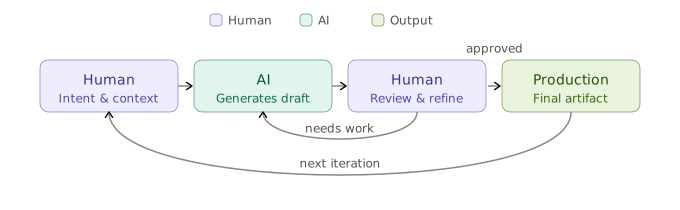
A simple rule keeps the relationship healthy: delegate the production of drafts; retain ownership of decisions.
Good to delegate to AI:
- Boilerplate, scaffolding, and repetitive transformations
- First-draft tests, especially edge-case enumeration
- Documentation, release notes, and summaries
- Explaining unfamiliar or legacy code
- Log triage and first-pass incident analysis
- Generating options to compare during design
Humans must always own:
- Architecture and system design. AI proposes; engineers decide.
- Business logic and rules. The parts that define the product are too important to outsource to a draft.
- Security and data privacy decisions.
- Final code review and merge approval. A human signs off on every change.
- Client relationships and commitments. Trust is not delegable.
A few practical recommendations make this work in a real outsourcing setting:
- Always review AI output. Treat it as a pull request from a fast but inexperienced colleague.
- Give AI context. Feed it your conventions, domain terms, and constraints; quality scales with the quality of input.
- Keep a human in the loop at every gate. Especially before merge and before deploy.
- Establish a data-handling policy. Be explicit about what client code and data may be sent to which tools.
- Measure, don't assume. Track cycle time, defect rates, and review time so you know whether AI is actually helping.
The healthy collaboration loop looks like this:
9. A Practical Adoption Roadmap
Knowing what AI can do is different from rolling it out well. Teams that succeed tend to follow a gradual, measured path rather than switching everything on at once.
- Measure a baseline first. Capture today's cycle time, review turnaround, defect rate, and coverage. Without a baseline, you cannot tell whether AI helped or just felt faster.
- Start where friction is high and risk is low. Documentation, test drafting, boilerplate, and log triage are ideal first targets: they are tedious, easy to verify, and a mistake is cheap. Business logic and security-critical code come later, if at all.
- Establish governance before scaling. Decide the data-handling policy, the review gates, and which tools are approved before the team's habits form—not after.
- Train the team on review, not just prompting. The skill that matters most is critically reviewing AI output, because that is where quality is won or lost. Pair experienced reviewers with juniors during the transition.
- Expand gradually and keep measuring. Move into more stages only once the earlier ones show real, measured gains. Compare against the baseline at each step.
A few common pitfalls are worth naming so you can avoid them:
- Treating AI output as final. The fastest way to ship subtle bugs.
- Skipping the baseline. You end up debating feelings instead of facts.
- Letting tool choice outrun the data policy. Convenience tools end up handling sensitive code.
- Measuring only speed. If defect rates climb, faster delivery is an illusion.
Done this way, adoption is low-risk: each stage proves its value before the next one begins, and the team's understanding of its own system grows rather than erodes.
10. Conclusion
The story of AI in software is not "the machines write the code now." It is quieter and more useful than that. AI is becoming an indispensable teammate across the entire delivery lifecycle—turning meetings into requirements, requirements into tasks, descriptions into diagrams, code into tests, and logs into root causes.
What it does not do is make the hard decisions. Architecture, business trade-offs, security posture, and the judgment of whether something is actually good enough to ship—those remain firmly with experienced engineers. The projects that win with AI are not the ones that hand over the wheel. They are the ones that let AI handle the slow, repetitive miles so that skilled people can concentrate on the turns that matter.
For an outsourcing partner, that is the real promise: faster delivery and more consistent quality, achieved not by replacing engineers but by giving them better leverage at every stage of the work.
![Thumbnail of [Release] Cut Estimation Work by 90%! Introducing 'EG (Easy) Estimation AI' — Get a Detailed Estimate and Technical Design Document from a 30-Second Survey](/img/insights/20260625-software-estimation-assistant/thumbnail.png)